Postill's New Rig

Ha - was just about to come and post here (is why i logged on) and you beat me to it!

Got windows on it today (8800GTX arrived from california yesterday)

Having a play with overclocking the CPU at the mo...

Stock is 2.4GHz

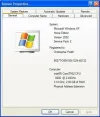
Look at this:

attachment.php
 

Attachments

  • Overclock.webp
    Overclock.webp
    20.8 KB · Views: 219
Sweet! :thumb:

So all is well then? Hows that monitor?
 
Looking good Chris :thumb:


I've got my E6600 nice and stable at 3.2GHz - with that EVGA board I reckon you should be able to go a fair bit further :cool:
 
And i can remember the days when clocking a 486 or low spec Pentium was all the rage!:o
Presume it's all a lot more stable these days to overclock, how much more % can you do safely?
 
Ady:

What speed have you got your memory at or did you leave it at 800mhz, 6400 speeds...?
 
Didn't touch the memory speeds at all Chris - on my Gigabyte DS3, I adjusted the CPU multiplier to 9X, Host Frequency to 370, PCI Express frequency to 100 and System Memory Multiplier to 2.00 :thumb:
 
You can't change the multiplier on this CPU though can you - standard is 9x i think?

Your BIOS settings sound a tad different from mine.

Saying that, i am now running at a stable (but worryingly toasty) 3.3Ghz

nVIDIA MONITOR says i am running at 65 degrees under full Prime95 load (which is more like 75 on the core according to Intel's TAT program)

Hmm
 
Your right - not all those settings were adjusted, but they are the ones I'm using.

I also allowed Northbridge voltage to increase by up to 0.1V via the MCH Overvoltage Control.

Different boards are going to have different settings - so to be honest mine are probably irrelevant :thumb:
 
lol :)

Well it just booted into windows at over 3.4GHz

Unsure whether it will be stable or not... we'll see

But its progress

Will probably need to reseat the heat sink

Whats the stock HSF like to remove do you know?
 
christopherpostill said:
Whats the stock HSF like to remove do you know?
No idea - but I don't suppose its particularly awkward.

I fitted an Arctic Cooling Freezer 7 Pro from the begining :thumb:
 
****

My motherboard just died.

Post LCD on board showing "--" and no post beep or anything shown on screen.

This, is NOT good.
 
Mmmmm that's not good at all :(

Perhaps a reset of the motherboard is in order ;)
 
I have reset the CMOS, no luck, Unplugged all essential components, no luck, removed the motherboard from the case placed it upon an anti static bag and connected only the CPU, RAM, Graphics and PSU

No luck

An RMA it is.
 
Yeah, after overclocking it 1004MHz...

It died after he reapplied the AS3 Thermal Paste... :p
 
cImrie said:
Yeah, after overclocking it 1004MHz...

It died after he reapplied the AS3 Thermal Paste... :p

Yeah but there gonna just think it was DOA I would of thought.

Not quite sure how they could find out that is was overclocked if it has died completely :confused:

But hey I'm no engineer :)
 
My point entirely Mudfrog

The death has nothing to do with the overclock

AND

There have been quite a few DOA boards that show [-][-] on the post LCD

Well i cant afford £200 for another so they had better replace it lol!
 

Ask a Question

Want to reply to this thread or ask your own question?

You'll need to choose a username for the site, which only take a couple of moments. After that, you can post your question and our members will help you out.
Ask a Question

Similar Threads


Back
Top
